


Photomath
Google LLC
I have always found math easier to face when I can see exactly where an answer comes from, rather than being handed a result with no explanation. That is where Photomath fits in. It is an education app from Google LLC that reads a math problem and works through it step by step. After using it, my view is that it is most useful as a patient checking partner: it can help you spot the point where your working went wrong, revisit a method, or get unstuck when a textbook explanation feels too compressed.
It is free to download and suitable for everyone, which makes it easy to try without committing to a subscription or an upfront purchase. The app has reached over 100 million installs and holds a 4.3 average from around 3 million ratings, so it is clearly not a niche calculator. Still, popularity does not make it right for every learner. Its real value depends on whether you use the explanations to understand the process or simply scan every exercise and copy the result.
How Photomath fits into everyday study
A camera-first way to approach written problems
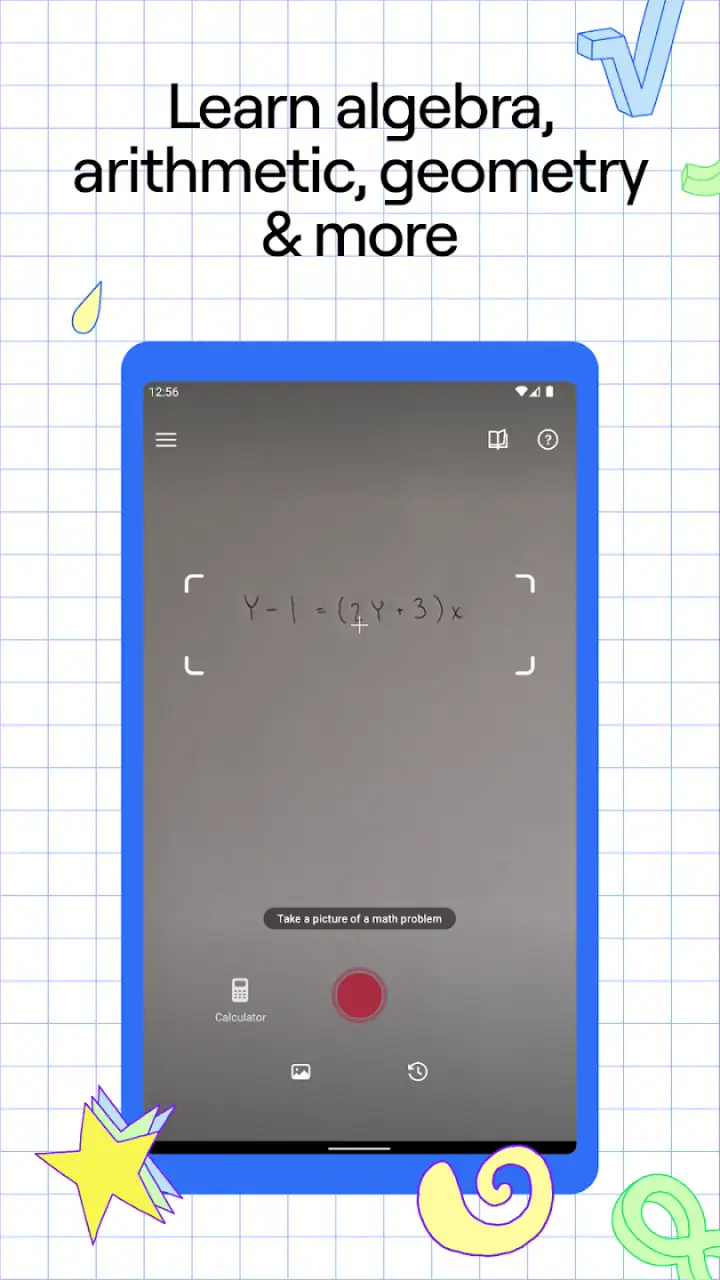
The central workflow is straightforward. I point the phone at a printed or handwritten problem, let the app recognize it, and then open the worked solution. That is more convenient than typing a long equation into a conventional calculator, especially when the problem contains fractions, powers, roots, or several signs. When recognition works well, the saved effort is substantial.
Related News

The important distinction is that this is not just an answer box. The useful part is the sequence between the question and the result. I can inspect the transformations one at a time and compare them with my own notes. If I made a sign error while expanding brackets, for example, the solution gives me a place to look instead of forcing me to redo the entire page blindly.
Recognition is not magic, though. A blurred photo, unusual handwriting, a crowded page, or a badly aligned expression can lead to a misread problem. I have learned to check the expression shown on screen before trusting the explanation. That small pause matters: a perfectly logical solution to the wrong equation is still useless.
Related News

Why WhatsApp Messenger Still Makes Everyday Communication Feel Easy

Jurassic World: The Game Is the Better Dino Tycoon for Strategic Players

Threads in Real Life: Who Should Join, Lurk, or Leave

How SHEIN Turned Shopping Into an Endless Content Feed

How to Make Fortnite Feel Smarter on Mobile

Should You Switch to Microsoft Outlook on Mobile?
More useful as a tutor than as a shortcut
The strongest habit is to attempt the problem first, then use the app as a comparison. I write down my method, scan the question, and open only enough of the working to find the first disagreement. This turns Photomath into a feedback tool. If I reveal the complete answer immediately, I lose much of the learning benefit and may remember the result without understanding the method.
A practical routine is to cover the final line with a hand or a sheet of paper, read the intermediate step, and continue solving independently. I can then uncover the next stage when I need a hint. This is especially helpful for students who freeze when they see a multi-line solution, because it breaks a large exercise into manageable decisions.
Parents can use the same approach when helping with homework. Instead of supplying an answer, they can ask the child to explain why the app changed one line into the next. That keeps the conversation focused on reasoning. For an adult returning to algebra after years away from school, the step-by-step format is less intimidating than searching through a long lesson and hoping it matches the exact problem.
Gallery
A realistic homework scenario
Imagine finishing a worksheet late in the evening and finding that one quadratic equation refuses to match the answer key. I would photograph that single question, verify that the recognized expression is correct, and inspect the first few transformations. If the app shows a factorization step I did not see, I can compare the factors with my own expansion. If my approach is valid but reaches a different-looking form, the worked sequence can help me check whether the two forms are equivalent.
That workflow is faster than asking a friend to reconstruct the entire exercise, but it does not remove the need to understand the underlying rule. I still need to know why a factor was introduced, why a denominator was handled in a certain way, or why a solution must be rejected. The app is good at displaying a path; I remain responsible for deciding whether the path makes sense in the context of the lesson.
What the free experience means for value
The basic appeal is clear: I can start using the app without paying an entry fee. That makes it a low-risk choice for occasional homework checks, quick revision, or a single difficult exercise. The product is listed as free, while optional in-app purchases range from $0.99 to $29.99 per item. I would therefore treat the no-cost access as the starting point and judge any paid option separately, rather than assuming every tool or learning aid belongs to the free tier.
This distinction is important for families and students. Free access can already be worthwhile if the main need is occasional problem recognition and guided checking. A paid purchase may make sense only when the additional material genuinely matches the learner’s needs and is used regularly. Since the value of those purchases depends on how often someone studies and what level of support they want, I would not buy anything simply because the app produced one helpful solution.
There is no reason to frame the app as a replacement for a full course. Its cost advantage is strongest when it supplements a textbook, teacher, class notes, or practice website. A learner who needs a structured curriculum, regular assessment, or personal feedback may get more from a dedicated course even if that means paying elsewhere. Photomath’s free entry point is attractive, but “free” does not automatically mean complete instruction.
Where the explanations earn their place
The step-by-step presentation is most valuable when the obstacle is procedure. I can follow how an expression is simplified, how an equation is rearranged, or how a calculation moves from one stage to another. That is more educational than a standard calculator, which usually confirms a result without showing a route.
It also offers a useful second opinion. Answer keys can contain printing mistakes, and handwritten work can be difficult to review when several lines are crossed out. Comparing my own process with an independent worked solution helps me identify whether the problem is arithmetic, notation, or a misunderstanding of the rule. This is one of the less obvious strengths: it supports error diagnosis, not just answer retrieval.
Another good use is revision before a test. I can collect a few problems that caused trouble, solve them again without the app, and then use the explanations to compare methods. The app becomes a compact review companion rather than a machine I consult for every line. That approach also exposes patterns: perhaps I repeatedly mishandle negative signs or forget to apply an operation to both sides.
Where it should not be your main teacher
I would be cautious about relying on it when the assignment is designed to test unaided reasoning. If the teacher expects a written proof, a verbal explanation, or a particular classroom method, scanning the exercise does not prepare me to reproduce that work independently. The app can show a solution, but it cannot guarantee that I can explain it in my own words afterward.
It is also a poor substitute for asking a teacher about a conceptual misunderstanding. A worked sequence may show what happened without addressing why the rule exists or when it should not be used. If I keep accepting steps that I cannot explain, I am only moving the confusion further down the page. In that situation, a lesson, tutor, or classroom discussion is the better choice.
Students with visual, motor, or reading needs should test the complete workflow for themselves before depending on it. Camera recognition and on-screen explanations may be convenient for one person and awkward for another. The right question is not whether the app is popular, but whether its presentation makes the individual learner more independent.
Tradeoffs in scanning and typing
Scanning is the feature that makes Photomath feel different from an ordinary calculator, but it also introduces friction. I need adequate lighting, a readable page, and a correctly framed expression. When the camera struggles, correcting the recognized equation can take longer than typing a short problem manually. I therefore see the camera as a convenience, not a guarantee.
Handwritten work deserves extra care. Neat writing improves recognition, while crowded symbols and ambiguous marks can cause trouble. A quick visual check before opening the solution prevents many misunderstandings. I also prefer scanning one problem at a time when a page contains several exercises, because isolating the target makes it easier to confirm what the app actually read.
There is a privacy-related practical habit I would recommend without making assumptions about policies: avoid photographing unrelated personal material in the background. Cropping the image to the exercise keeps the workflow focused and reduces accidental exposure of notes, names, or other information. It also gives the recognition system less clutter to interpret.
How it compares with familiar alternatives
Compared with a basic calculator, Photomath offers much more guidance but requires more trust in recognition and presentation. A calculator is better for a quick numerical check when I already know the method. Photomath is better when I want to inspect the route taken by an equation or calculation.
Compared with searching the web, it is more direct for a specific written problem. A search may lead to a video, forum response, or lesson that uses different notation. Photomath starts from the expression in front of me, which reduces the time spent finding a matching example. The tradeoff is that a search can provide broader explanations and multiple teaching styles, while the app’s solution remains tied to the scanned exercise.
Compared with a textbook, it is faster for immediate checking but less suitable for building a complete sequence of lessons. A textbook gives context, definitions, examples, and exercises arranged around a learning goal. Photomath is strongest beside that material, especially when I need to unpack one stubborn question without interrupting the rest of my study session.
Compared with a human tutor, the app is available on demand and consistent in its presentation, but it cannot notice hesitation, ask a follow-up question, or adapt its explanation after hearing my reasoning. A tutor wins when the difficulty is conceptual, persistent, or connected to exam strategy. Photomath wins when the problem is isolated and I need a fast, concrete comparison.
Small habits that make the app more educational
My first tip is to predict the next step before revealing it. After reading one line of the solution, I pause and write what I think should happen next. This converts passive reading into retrieval practice. Even a wrong prediction is useful because the following explanation has something specific to correct.
My second tip is to keep a short error log outside the app. I note the type of mistake rather than copying the full solution: sign error, skipped distribution, incorrect fraction operation, or a misunderstood restriction. After several sessions, the pattern tells me what to practise. The app provides the immediate diagnosis, but the log turns those diagnoses into a study plan.
My third tip is to solve a similar problem without scanning it. Once I understand the worked example, I change the numbers in my notebook and attempt the new version independently. This tests whether I learned a method or merely followed familiar symbols. If I cannot transfer the process, I need more practice or a clearer explanation from another source.
A fourth useful habit is to compare equivalent forms instead of assuming different-looking answers conflict. Algebraic expressions can be rearranged while remaining equal. I use the app’s steps as evidence, then simplify or substitute a value myself when two forms appear different. That prevents the common mistake of treating formatting differences as mathematical errors.
Technical details that matter before installing
Photomath is currently listed as version 8.47.0 and supports devices running Android 5.0 or later. That makes it accessible to many older Android phones, although the actual comfort of camera scanning will still depend on the device’s screen, camera, and general responsiveness. I would leave enough storage and keep the display clear, because cramped viewing makes multi-step work harder to follow.
The app was released on February 26, 2015, and its long availability helps explain why it feels familiar to many students. Its content rating is Everyone, which suits a household education tool. Those details do not guarantee that every explanation will match a particular teacher’s preferred method, so I would still compare the notation and rules with class material when preparing for assessed work.
Google LLC is the developer, and the large install base suggests that finding general help about the app should be relatively easy. That should not be confused with personalized support, however. A popular app can guide a calculation, but it does not know my curriculum, deadline, or the exact reason I am struggling unless I supply that context myself.
Who is likely to get the most from it?
I would recommend it to students who regularly make small algebra or arithmetic mistakes and need a quick way to locate them. It is also a good fit for independent learners, parents checking homework, and adults refreshing school mathematics. The combination of camera input and visible working reduces the barrier between a printed exercise and a useful explanation.
It suits occasional users particularly well because the free starting point removes much of the risk. Someone who only needs help with a difficult worksheet does not have to purchase a full learning program first. Regular learners may also appreciate it as a companion, provided they keep solving independently and use the explanations as feedback.
I would skip it as a primary solution for learners who need a complete, teacher-led course or who are likely to copy every answer without reflection. I would also choose a conventional calculator when speed is the only goal, and a tutor or structured lesson when the same concept remains confusing after several worked examples. The app is not bad in those situations; it is simply solving a different problem.
My buying recommendation
For me, the free access makes Photomath easy to recommend as a supplementary education app. I would install it for homework checking, revision, and troubleshooting a single exercise, then decide whether any optional purchase adds enough value to my particular routine. The listed purchase range is broad, so I would judge each paid item by its actual usefulness rather than treating the highest possible price as the normal cost.
The best value comes from disciplined use: attempt first, verify the recognized question, reveal the work gradually, and practise a similar problem afterward. Used that way, the app can save time while strengthening error awareness. Used as an answer dispenser, it may make tonight’s worksheet easier while leaving tomorrow’s lesson just as difficult.
My final verdict is positive but specific. Photomath is a strong free starting point for people who want step-by-step help with math and a convenient way to check written work. I would recommend it to a friend who needs a patient second opinion, not to someone looking for a complete replacement for teaching. Its real value is in showing where the answer comes from, not merely telling you what the answer is.
FAQs for Photomath
What is Photomath and how does it work?
Photomath is an educational app designed to help users solve math problems using their smartphone camera. By simply pointing the camera at a handwritten or printed math problem, the app scans and provides step-by-step solutions. This makes it an invaluable tool for students struggling to understand complex math concepts.
Is Photomath free to use, or are there costs involved?
Photomath offers a free version that provides basic solutions and explanations. However, for access to more advanced features, such as detailed step-by-step explanations and additional learning resources, users may opt for a Photomath Plus subscription, which requires a monthly or annual fee.
Can Photomath solve all types of math problems?
While Photomath covers a wide range of math topics including arithmetic, algebra, calculus, and statistics, it may not solve every type of math problem, especially those that require advanced reasoning or are presented in unique formats. However, it is continually updated to support more types of problems.
Is Photomath reliable for learning math concepts?
Photomath is quite reliable for understanding math solutions and concepts, providing clear, step-by-step explanations. However, it is recommended to use it as a supplementary tool alongside traditional learning methods to fully grasp complex mathematical concepts and ensure comprehensive understanding.
Does Photomath require an internet connection to function?
Photomath can work offline for basic problem scanning and solving, which is a great feature for users without constant internet access. However, for more advanced features and access to the latest updates, an internet connection may be necessary. This ensures users have the most accurate and up-to-date information.
Pros
- Easy-to-use interface enhances accessibility.
- Instant solutions with step-by-step breakdowns.
- Supports a wide range of mathematical problems.
- Offline mode available for on-the-go study.
- Free version offers comprehensive features.
Cons
- Limited advanced math problem support.
- Occasional scanning inaccuracies.
- Ads in the free version can be distracting.
- Requires stable lighting for optimal scanning.
- Subscription needed for premium features.


